Digital driver licences, digital WoFs and digital rego labels are coming to New Zealand. That sounds simple, but the practical question for drivers is not “can my phone replace everything tomorrow?”
It is this: what changes for you at the roadside, at WoF time, and when your phone battery is flat?
My take is straightforward. This will probably make life easier once the rules, apps and enforcement process are settled. But for now, Kiwi drivers should treat digital documents as an incoming convenience, not a reason to stop carrying or displaying anything before NZTA gives the all-clear.
Digital driver licence NZ changes are legal, but not fully live yet
The law has moved New Zealand closer to digital driver licences, digital WoF alternatives and digital vehicle licensing. 1News reported on 25 May 2026 that legislation has passed and that NZTA is working with Australian transport agencies on the design.
That does not mean every driver can delete the plastic card today. The detailed rules still matter: which app will be accepted, how police will check it, how offline checks will work, and whether physical fallback will still be recommended.
The most useful way to think about it is:
| Item | What is changing | What I would do now |
|---|---|---|
| Driver licence | A digital version is being prepared | Keep your physical licence until NZTA confirms replacement rules |
| WoF label | Digital alternatives are being enabled | Keep displaying your valid WoF label for now |
| Rego label | Digital alternatives are being enabled | Keep displaying your current licence label for now |
| Police checks | Police already access electronic records | Do not assume your phone alone is enough yet |
| NZTA app | Shows useful vehicle/licence information | Treat it as support, not a legal replacement unless confirmed |
This is the gap many drivers miss. A government system can be technically possible before it is fully accepted in every legal and roadside situation.
The safe move is to wait for the official rollout details before changing your habits.
How digital driver licences will probably work in New Zealand
Based on what has been announced so far, a digital driver licence is expected to work more like a secure credential than a photo of your licence. That difference matters.
A screenshot is easy to fake. A proper digital licence should be verifiable, secured on your device and checked through an approved system. The official Digital Identity Services Trust Framework in New Zealand is built around accredited digital identity services, privacy rules and secure credentials.
In plain English, the idea is:
- Your licence details are issued by an approved authority.
- The credential is stored in a trusted app or wallet.
- You present it when asked.
- The checker verifies it without relying on a simple image.
- You should not need to hand over your unlocked phone casually.
That last point is important. A well-designed digital licence should prove the thing being asked, without oversharing unnecessary information.
For example, a pub may only need to know you are over 18. A police officer may need licence status, classes, conditions and identity. A digital system can be built to reveal the right level of information for the situation, rather than exposing everything by default.
The real win is not just “licence on phone”. It is controlled proof, with less unnecessary sharing.
Digital WoF and rego labels could remove one annoying windscreen job
Digital WoF and rego labels are the part many drivers will actually feel day to day. Anyone who has scraped an old rego label off the windscreen knows the current system is not exactly elegant.
The practical benefit is obvious: if police, NZTA and enforcement systems already know whether your vehicle has a current WoF and licence, a paper label is mainly a visible reminder.
But there is a risk too. The sticker is annoying, but it is also a simple visual prompt. Without it, some drivers may forget expiry dates until a reminder, fine, or roadside check catches them.
Right now, expired WoF and rego issues are not theoretical. New Zealand Police says the fine for an expired registration or WoF is $200. NZTA also makes it clear that your vehicle must stay up to WoF standard, not just pass on inspection day.
That means digital labels should make compliance easier, not looser.
| Current system | Likely digital benefit | Practical risk |
|---|---|---|
| WoF label on windscreen | Less paper and easier electronic checking | Drivers may miss expiry reminders |
| Rego label on windscreen | No more label swapping | More reliance on app alerts and email |
| Manual visual check | Quick glance at label | Need phone/app/account access |
| Police roadside check | Records already electronic | Drivers may misunderstand transition timing |
My advice: when digital labels arrive, set two reminders: one in the official app and one in your own calendar.
What happens if police pull you over with a digital licence?
For most drivers, a traffic stop probably will not feel dramatically different. Police already have access to licence, WoF and registration information electronically. The digital licence simply changes what you can present from your side.
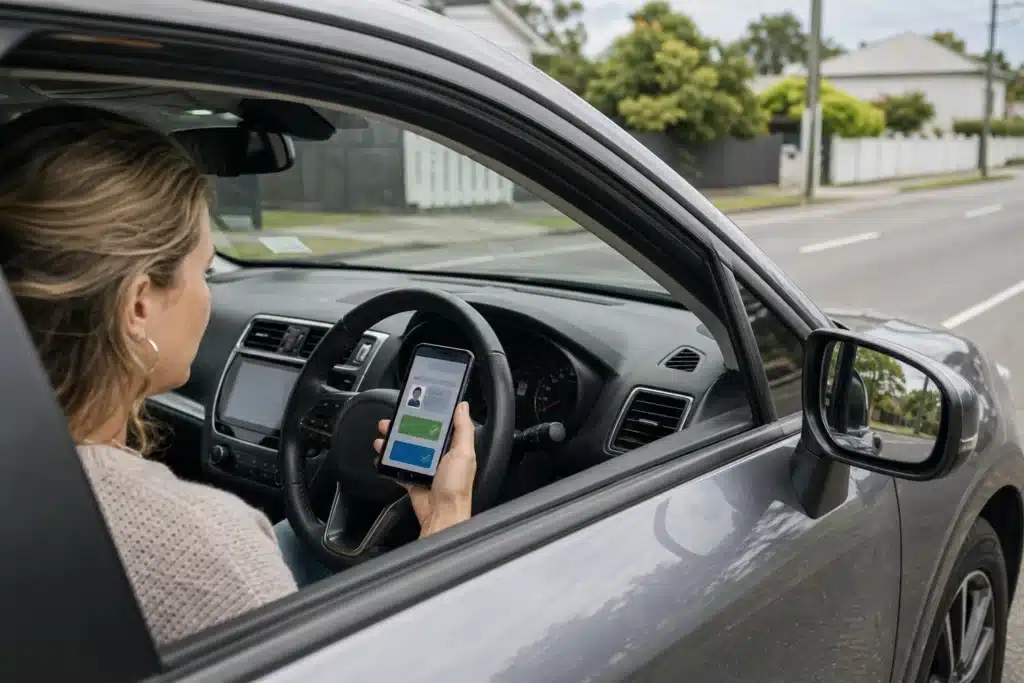
The tricky bit is phone use. NZTA says using a phone while driving is restricted, including when stopped in traffic or at an intersection. The current penalty for illegal hand-held phone use is $150 and 20 demerit points.
So do not treat a digital licence as something you can pull up while rolling toward the shoulder or sitting at lights.
The practical sequence should be:
- Pull over safely when directed.
- Stop the vehicle and follow the officer’s instructions.
- Only access your digital licence when it is lawful and requested.
- Do not scroll through unrelated apps or messages.
- Avoid handing over your unlocked phone unless the official process requires something specific.
That last point will need clearer official guidance. In overseas systems, checkers can often scan or verify a digital licence without taking possession of the phone. That is the model I would prefer for New Zealand too.
Until NZTA and Police publish the final process, carry your physical licence as backup. It is the least stressful option.
Digital Licence Readiness Checker
This checker is practical guidance only. Follow official NZTA, Police and government app instructions when the rollout starts.
Digital licence privacy: what should Kiwi drivers watch?
Privacy is the part that deserves more than a shrug. A digital driver licence can be more private than a plastic card if it is designed well. It can also create new worries if people do not understand who sees what.
The good version looks like this:
- You control when the credential is shown.
- The checker receives only the information needed.
- The credential is verified securely.
- The app uses strong device security.
- There is a clear process if your phone is lost.
- You can still use physical options if digital does not suit you.
The bad version would be a system where drivers feel forced to unlock and hand over their phone, overshare personal details, or rely on an app they do not understand.
New Zealand’s Digital Identity Services Trust Framework is meant to set rules for accredited digital identity services. The Govt.nz app support pages also describe a model where digital credentials can prove specific facts, such as age, without showing every detail on a physical licence.
That is the right direction. But drivers should still be practical.
Before relying fully on a digital licence, I would want clear answers to:
- Can it work offline?
- What happens if your phone battery dies?
- Can Police verify it without taking your phone?
- Can businesses scan or store your details?
- How do you revoke or replace it if your phone is stolen?
- Is a physical licence still recommended as backup?
Convenience is good. Clear control is better.
The NZTA app, Govt.nz app and digital wallet problem
This rollout could confuse people because New Zealand already has more than one relevant app conversation.
The NZTA app already lets users access useful transport information, including licence and vehicle-related details. But that is not the same thing as a fully accepted digital driver licence replacement.
The Govt.nz app is also being developed as a broader government service and credential platform. That matters because digital driver licences may sit inside a wider digital identity ecosystem, not just a transport app.
Here is the simple version:
| App or system | What it may do | What drivers should assume now |
|---|---|---|
| NZTA app | Shows licence and vehicle information | Useful, but do not treat as full replacement unless NZTA says so |
| Govt.nz app | Stores accredited digital credentials | Likely important for future digital identity |
| Digital wallet | Holds verified credentials on your device | Needs official rollout and acceptance rules |
| Police systems | Check licence, WoF and rego records | Already electronic, but presentation rules still matter |
The trap is thinking “I can see my details in an app” means “I no longer need the official card or label”. Those are different things.
My advice: use the apps for convenience, but follow the legal requirements until the new system is officially live.
What digital WoF and rego mean for buying or selling a used car
This change will also affect used car buying. Today, a windscreen label gives you a quick clue, but it is not enough. A seller can have a label that is close to expiring, hard to read, or not the full story.
With digital WoF and rego, the smarter process is to verify the vehicle record before you buy.
If you are buying privately, check:
- WoF expiry.
- Rego expiry.
- Road user charges if the vehicle is diesel, EV or PHEV.
- Whether the vehicle has money owing.
- Whether the seller’s details match the vehicle.
- Whether the car actually matches the listing photos and plate.
This is where digital systems can help. If records are easier to access and harder to fake, buyers get more confidence. But the basics do not change: you still need to inspect the vehicle, confirm ownership steps, and avoid trusting one screenshot.
For related practical guides, Kiwi Motor Hub already has explainers on checking car ownership in New Zealand, rego costs, WoF costs and car registration costs.
Digital labels may remove paper from the windscreen, but they do not remove your responsibility to check the car properly.
What I would do before digital driver licences arrive
If you want the simple, practical answer, this is what I would do now.
Keep your physical driver licence. Keep your WoF and rego labels current and visible. Download the official apps only from trusted app stores. Set reminders for WoF, rego and licence expiry. Do not rely on screenshots. Do not use your phone while driving to open any licence or vehicle document.
I would also keep a basic backup in the car:
- Physical driver licence
- Current WoF and rego displayed as required
- Phone charger or cable
- Calendar reminders for expiry dates
- Insurance details
- Roadside assistance number
The benefit of digital documents is not that you can stop thinking. It is that the boring admin should become easier to prove and harder to lose.
The one thing I would not do is rush. Until NZTA confirms the exact rollout, treat digital licences, WoF and rego as incoming tools, not current replacements.